One connected data model
Records link directly across functions instead of being copied into comments, spreadsheets, or integration payloads.
The Azora platform
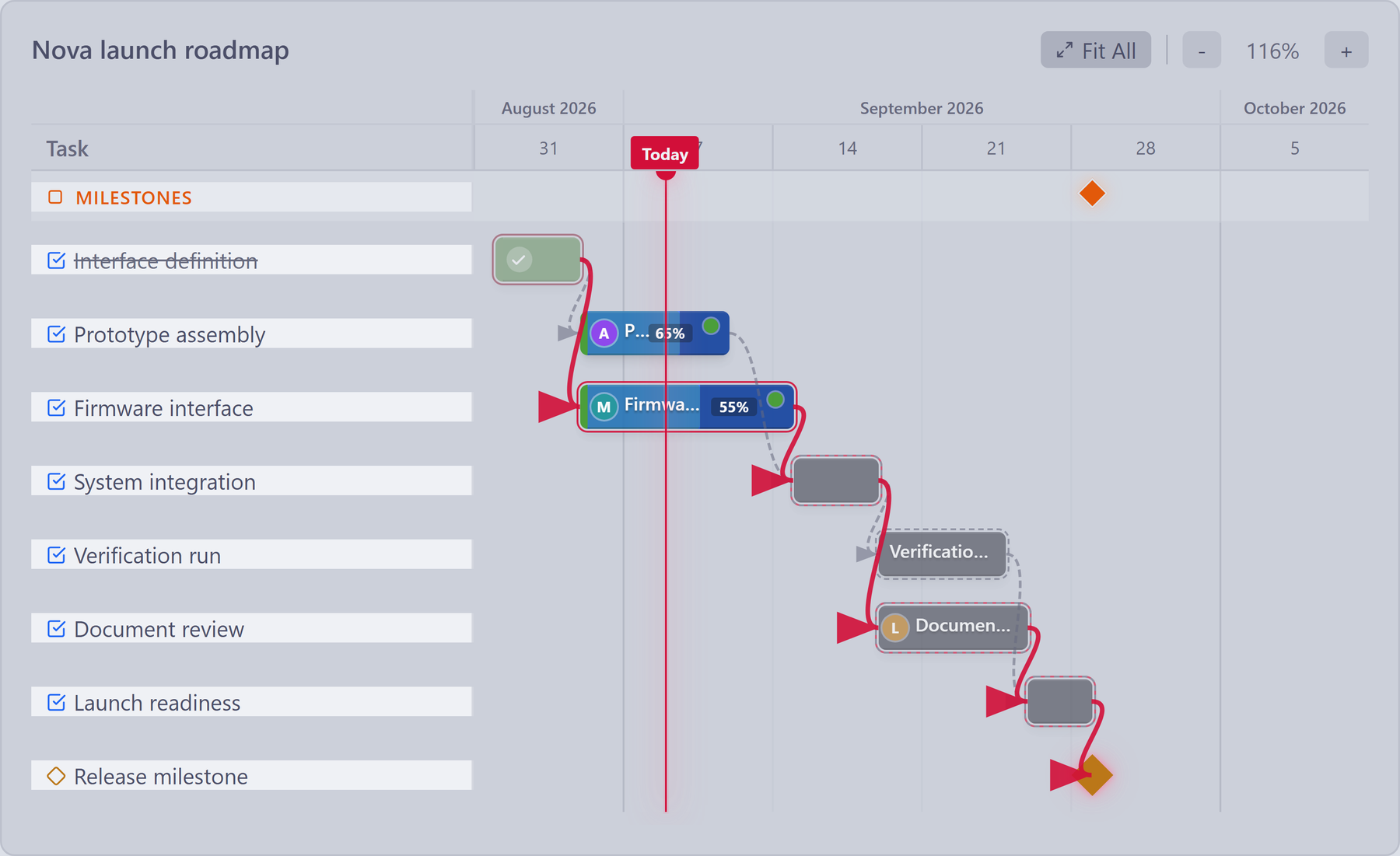
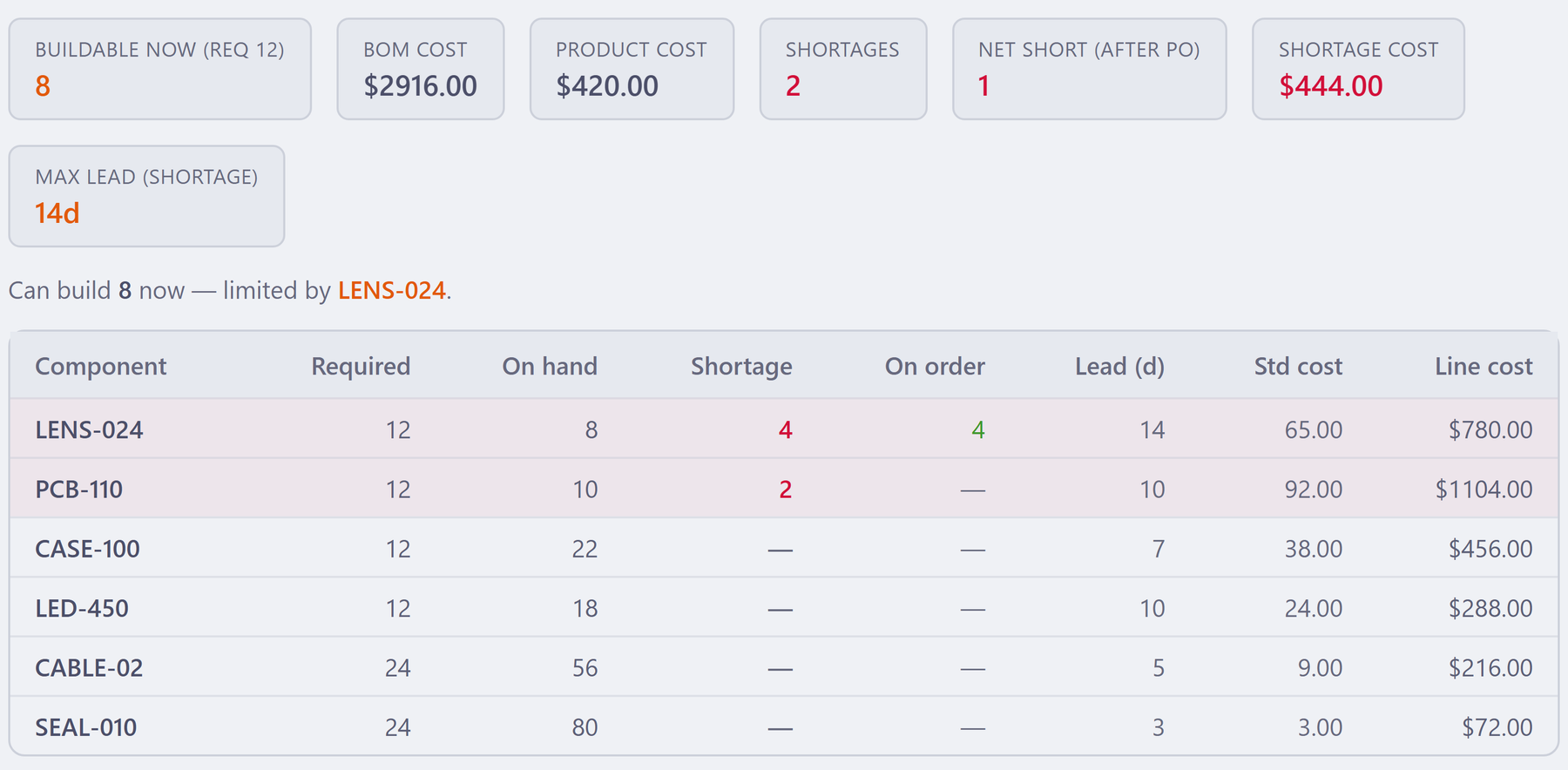
A milestone approaches. A requirement changes. A build is waiting on parts. See the work and related records your next decision depends on, in the same workspace.
Projects + Engineering + Quality / Delivery roadmap
People behind the plan
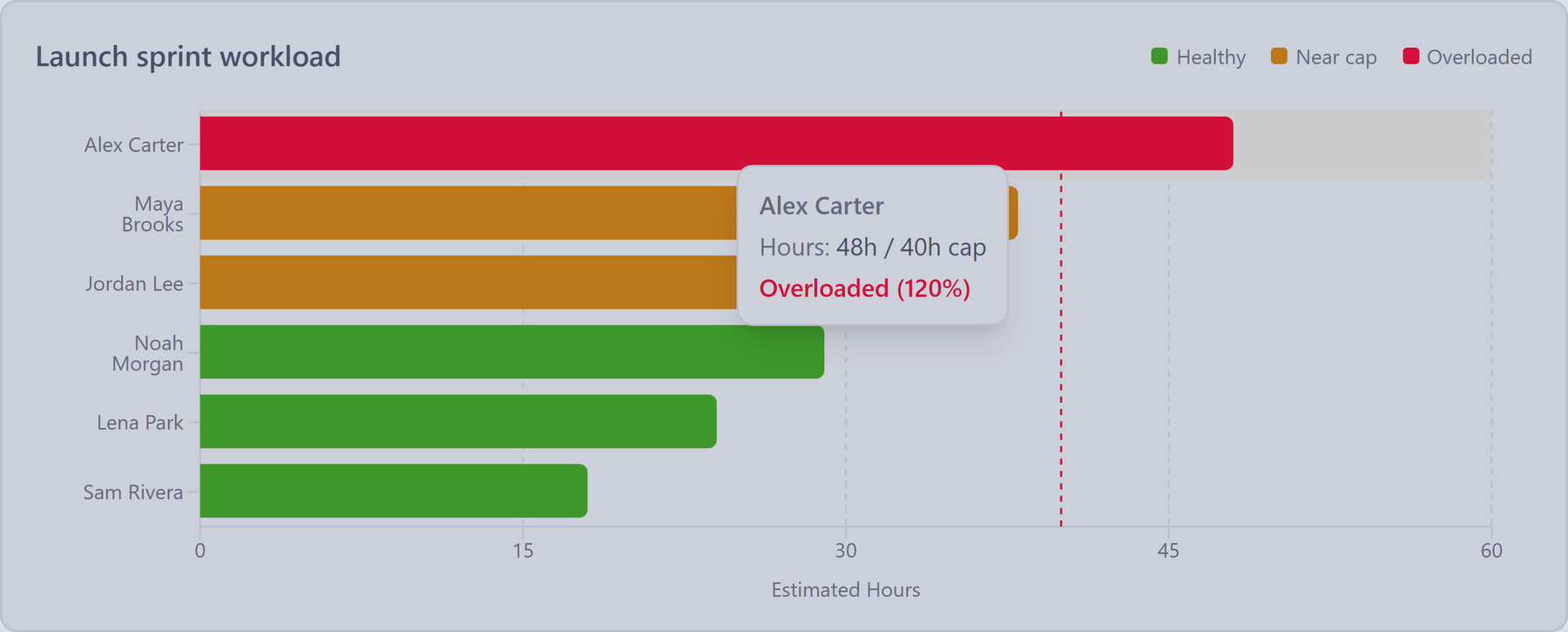
Compare estimated task hours with the planning capacity reference for each person.
In this example, Alex has 48 estimated hours against a 40-hour reference — a visible 8-hour gap to discuss when assigning or sequencing work.
Use this planning view to start a workload conversation. The bars show estimates, not hours actually worked.
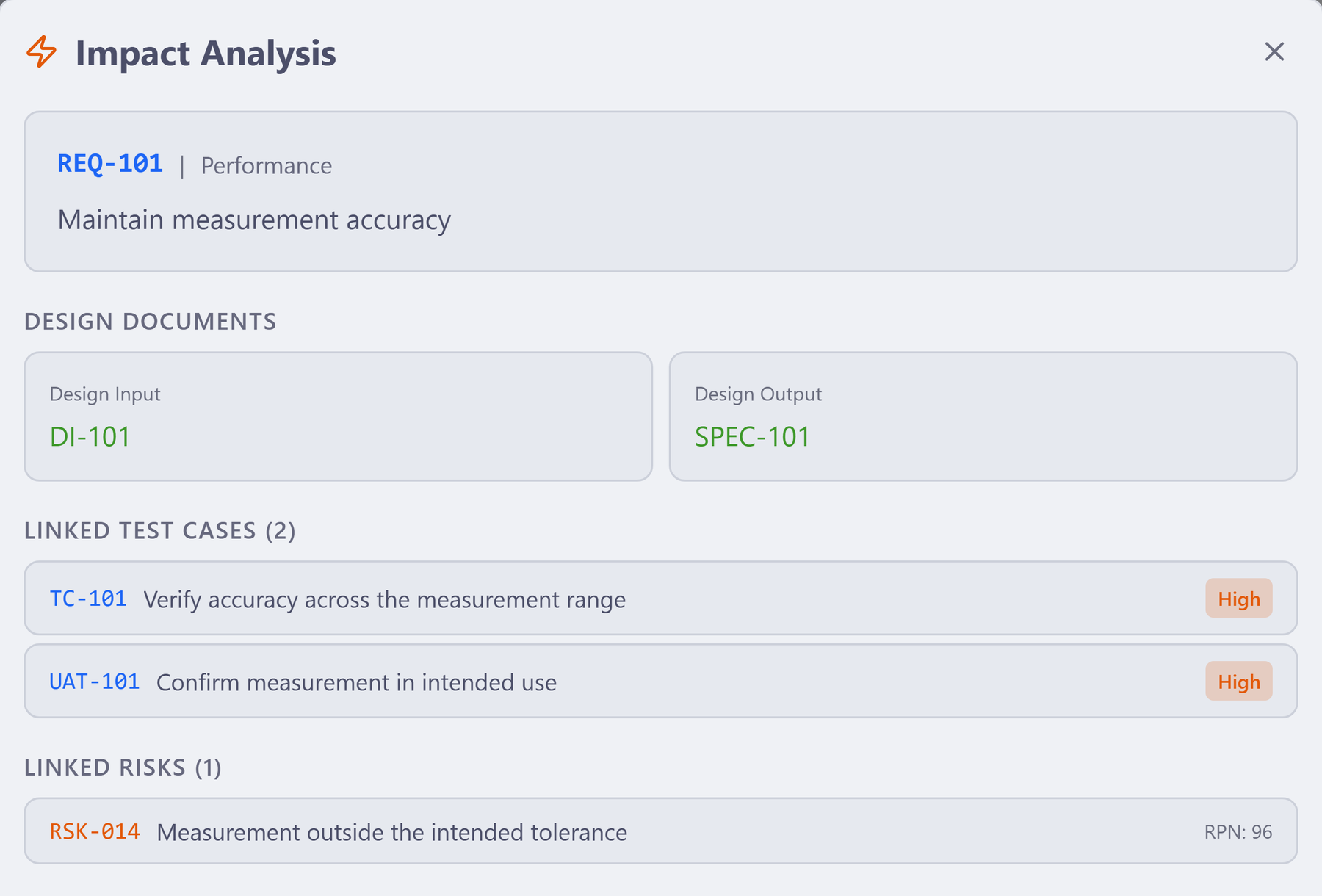
Engineering + Quality / Impact analysis
Operations + Purchasing / BOM availability
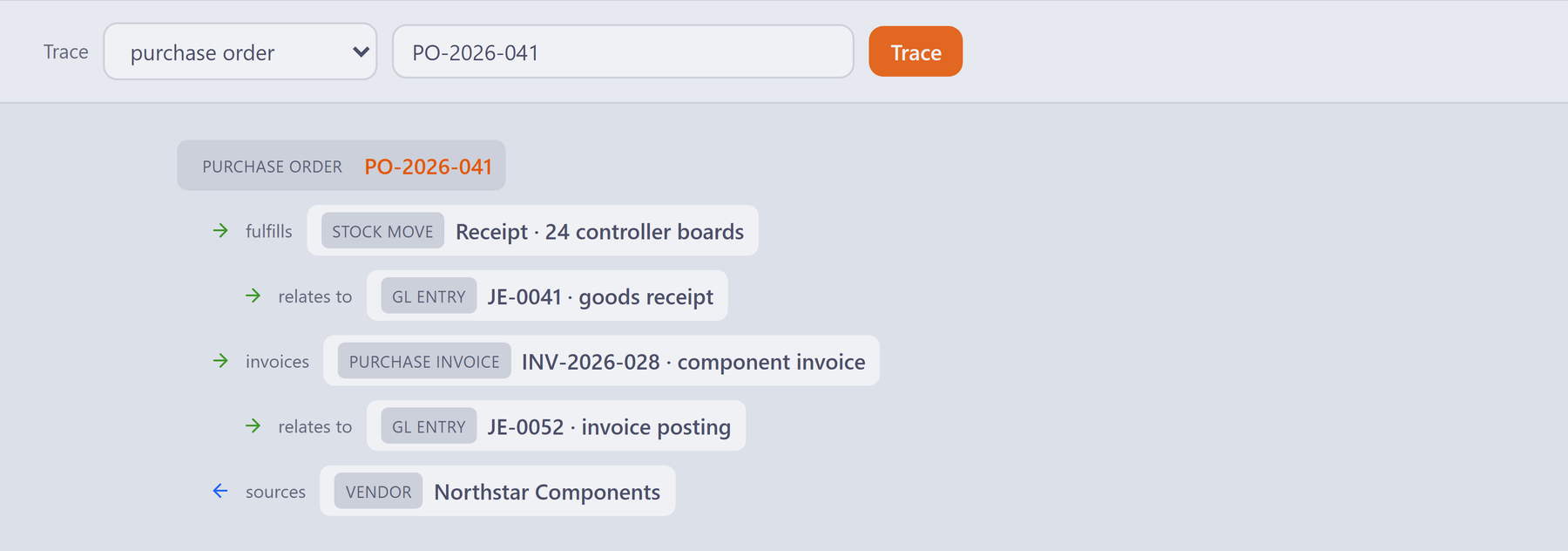
Purchasing + Inventory + Finance
Start at PO-2026-041 and inspect the receipt for 24 controller boards, the supplier, purchase invoice and related ledger entries.
Operations and Finance can check the records behind the same purchase, with the physical receipt and financial context in view.
This separate example illustrates purchase traceability. Payment remains a separate check.
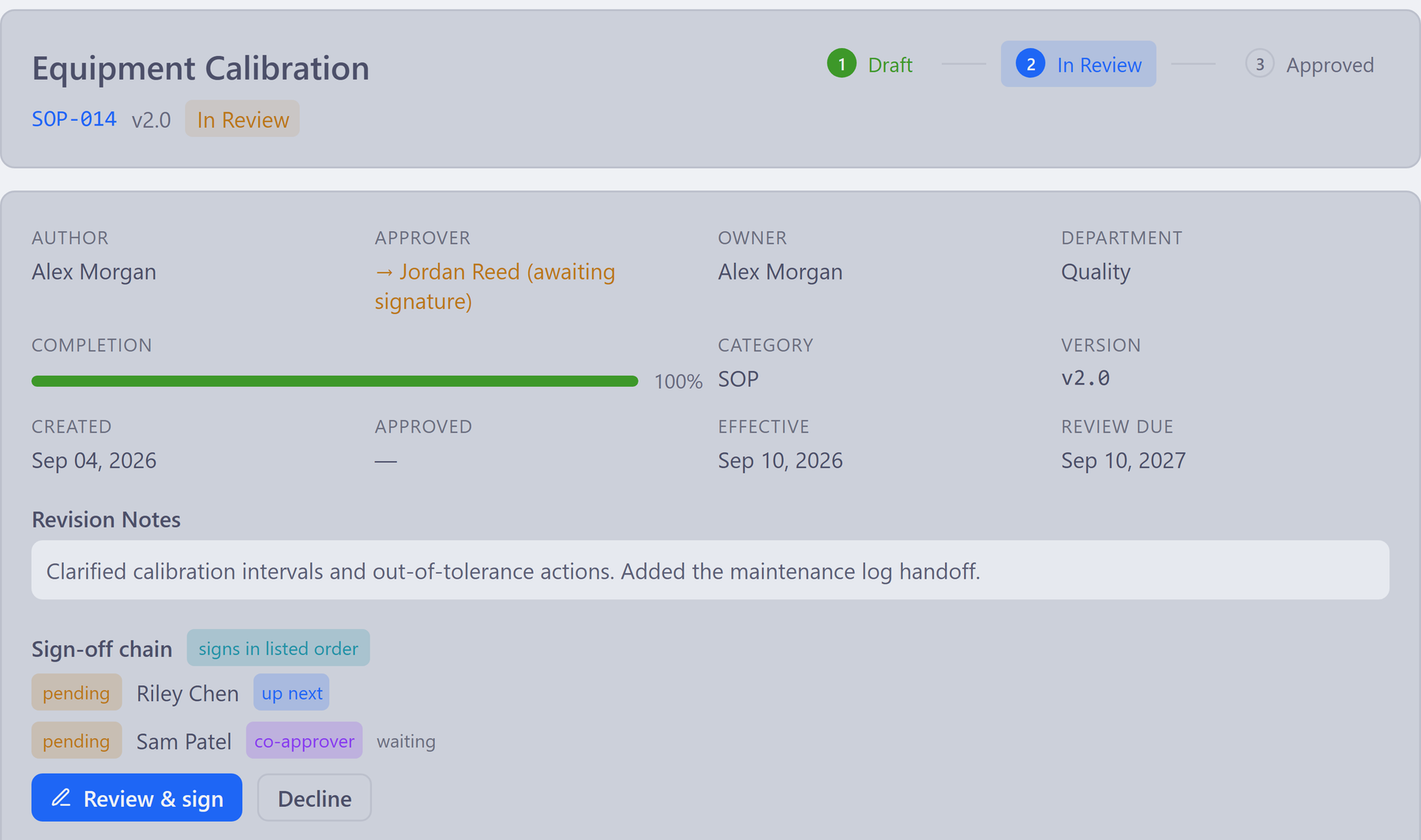
Document owner + Reviewers / Internal sign-off
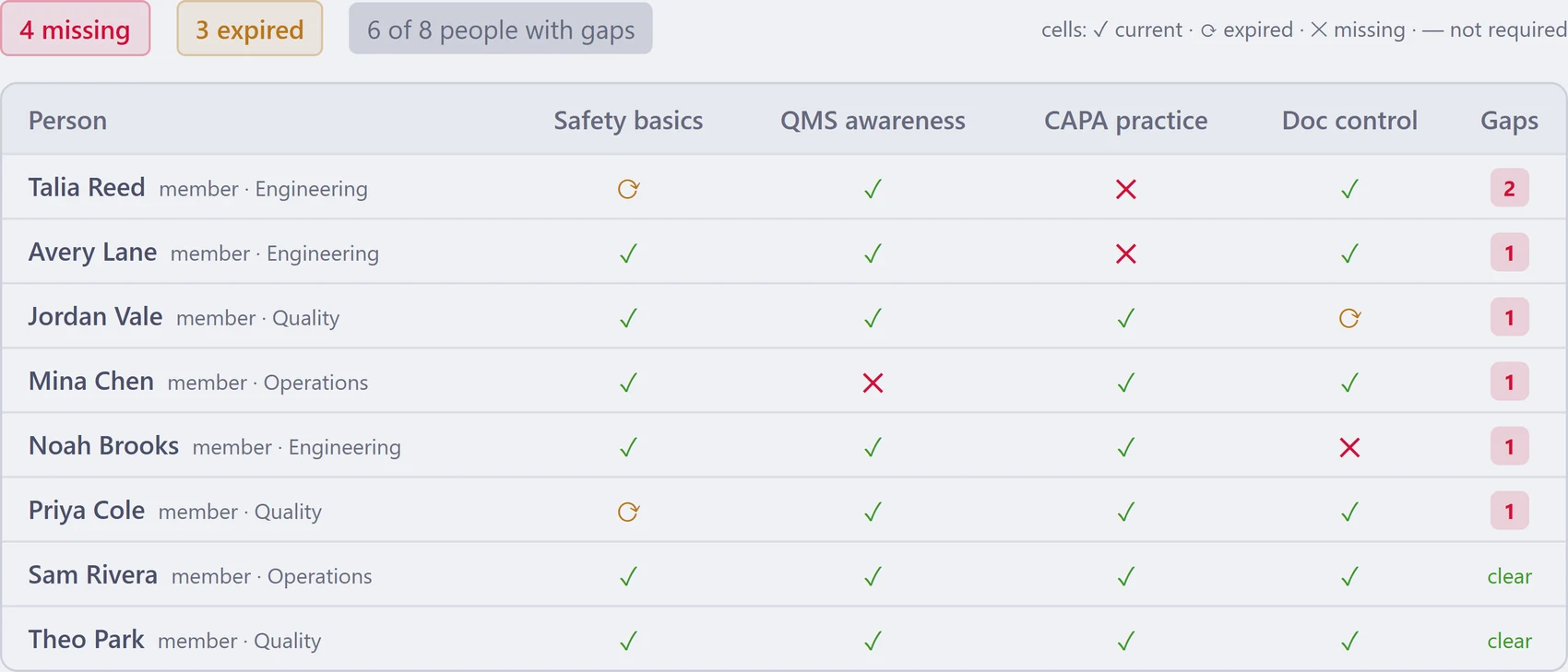
People + Quality / Training matrix
Why one platform matters
Point tools optimize one department and leave people to repair the connections. Azora treats the connection itself—requirement to test, NCR to CAPA, supplier to unit—as first-class product data.
Records link directly across functions instead of being copied into comments, spreadsheets, or integration payloads.
Use role-aware actions, required approvals, signatures, and evidence for the records that need control.
Keep actors, timestamps, changes, relationships, and lifecycle state available for review.
Preview a rule against the exact tasks it matches, then apply status, priority, assignment and label changes in one click — no external glue layer losing the source context.
Server-side authorization scopes the data each account, role, manager, and team can read or change.
Run on Azora-managed infrastructure or choose an enterprise self-host deployment backed by PostgreSQL.
Included commercial solutions
Each solution reorganizes the same core around a team’s daily work. Switch solutions without switching identity, data, or governance.
CAPA, NCR, audits, risk, design controls, training, traceability, and post-market.
Explore quality → ENGRequirements, reviews, dependencies, lab work, changes, releases, and evidence.
Explore engineering → OPSPurchasing, suppliers, inventory, BOMs, manufacturing, units, shipping, and finance.
Explore operations → CLNStudy records, forms, data queries, device accountability and evidence lineage. Technology preview.
Explore clinical → PMTasks, boards, sprints, roadmaps, goals, dependencies, portfolio views, and capacity.
Explore projects → HREmployees, onboarding, leave, training, skills, positions, performance, and lifecycle.
Explore people → COLMeetings, decisions, retrospectives, rooms, announcements, messages, and knowledge.
Explore collaboration → DOCControlled documents, review and approval routing, internal electronic approvals, and a retained revision history.
Explore document control → L&POKRs, 1:1s, reviews, recognition, succession, pulse, capacity, and decision rights.
Explore leadership →Connected in practice
Azora keeps the source relationship visible, so the next person does not have to infer why work exists or where the evidence came from.
Connect intended use and design input through controls, verification, validation, and coverage.
Preserve the nonconformance source, assign corrective work, verify effectiveness, and carry the result into controlled change.
Keep qualification, purchasing, genealogy, acceptance, shipment, and post-market records connected.
Link goals, decisions, weekly status, dependencies, capacity, and the actual work across teams.
Take a closer look
Share a concise introduction to Azora, then choose one workflow to explore together.
One plan, no module gates
The live demo is seeded, read-only, and available without signup. Explore the product before you book a call.