Azora solutions / See the software at work
Find your next step. See the work come together.
Projects, people, quality and operations. Explore a familiar workflow, see the actual software and find a starting point for your team.
Every commercial solution is included in the platform plan.
When quality follow-up is scattered
See what needs attention. Give the next action an owner.
Bring CAPAs, nonconformances and audit findings into a shared quality workspace. Open the record behind a priority and keep the investigation close to the work.
A clear place to review the issue, its status and the follow-up your team needs to own.
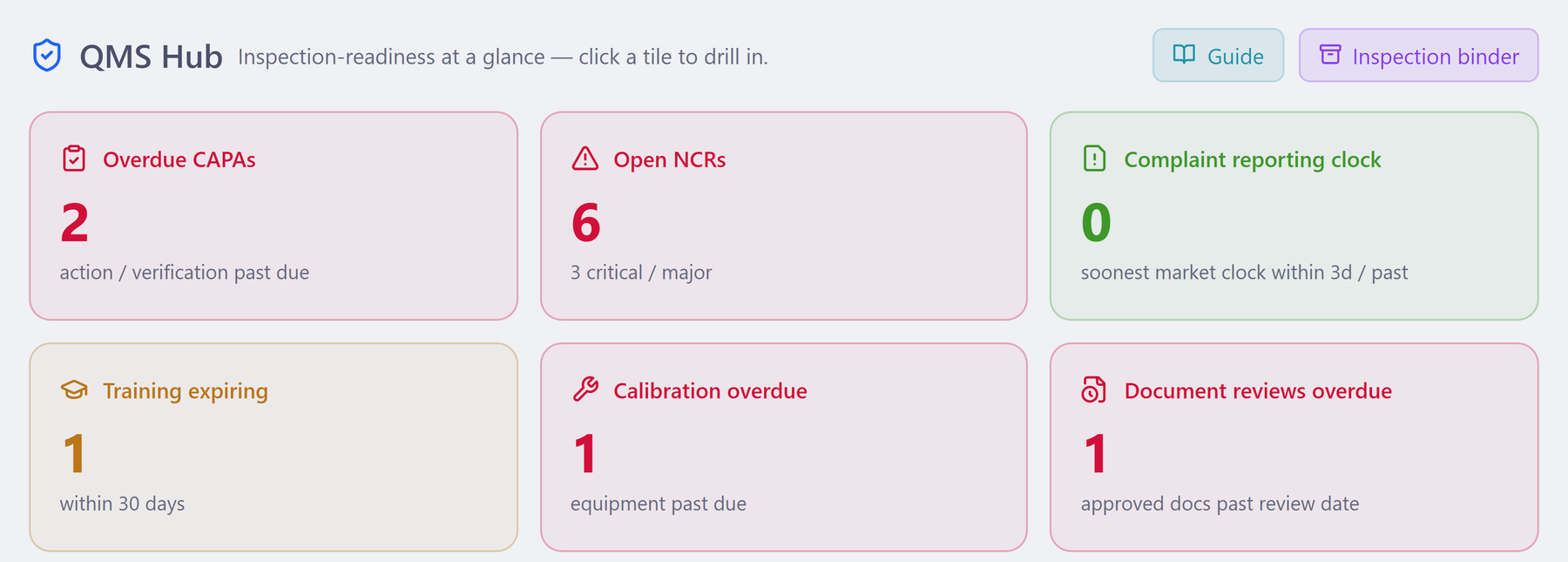
- See the issueOpen its record.
- Read the statusChoose the next action.
- Keep contextFollow the supporting work.
When a status update misses the dependency
Make the path to your next release visible.
Put dated tasks, dependencies and milestones on the same roadmap. Review the sequence with your team before making the next delivery commitment.
A shared delivery conversation grounded in the work and the dates behind it.
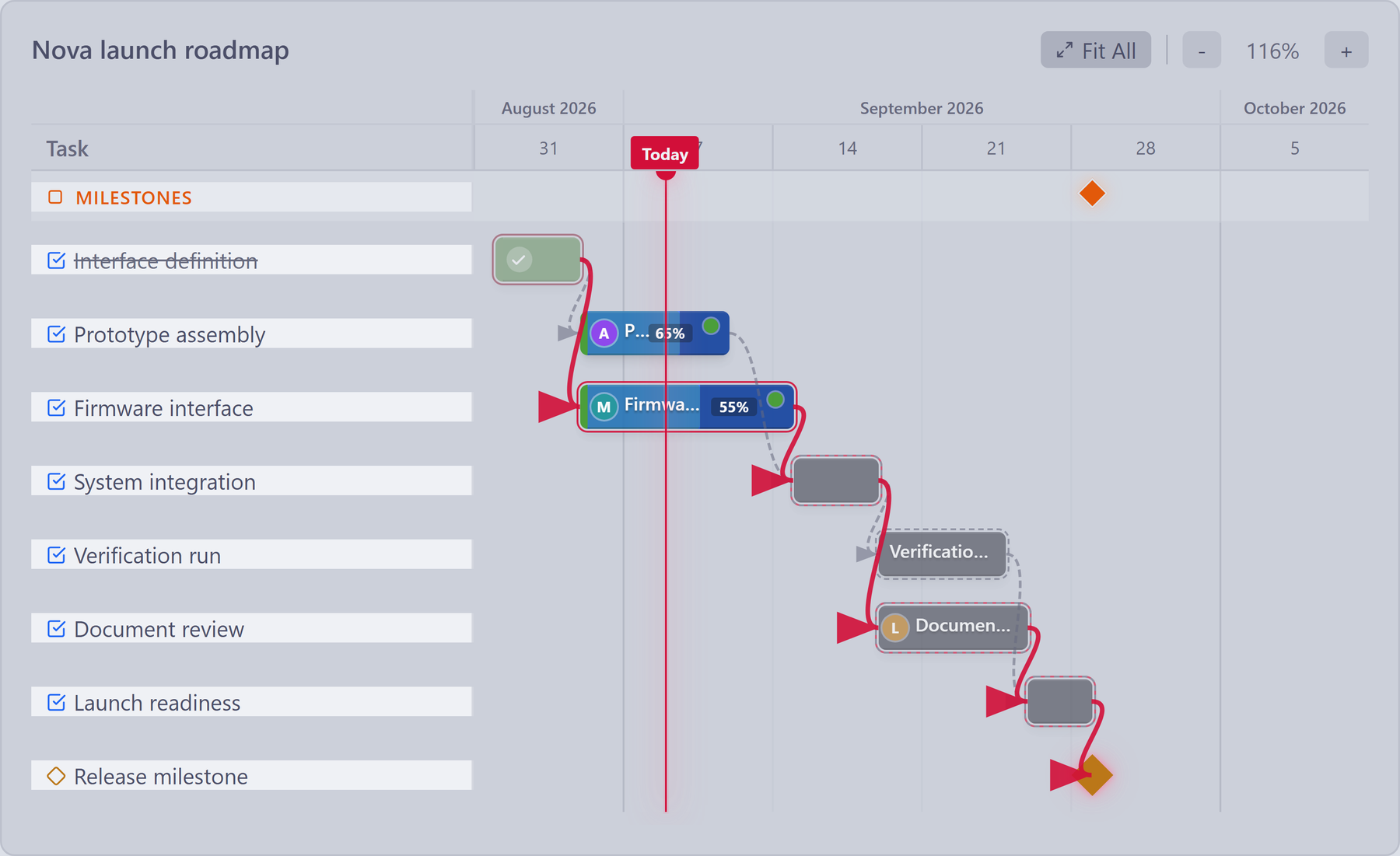
- SequenceRead task dependencies.
- ProgressCompare work with dates.
- MilestoneKeep the goal in view.
When the day starts with “who is where?”
Find your people. Coordinate the day.
Give the team a shared view of planned worksite presence and self-reported status. Keep people coordination beside the projects, requests and training they work with.
A common place to check team plans before arranging the next conversation or handoff.
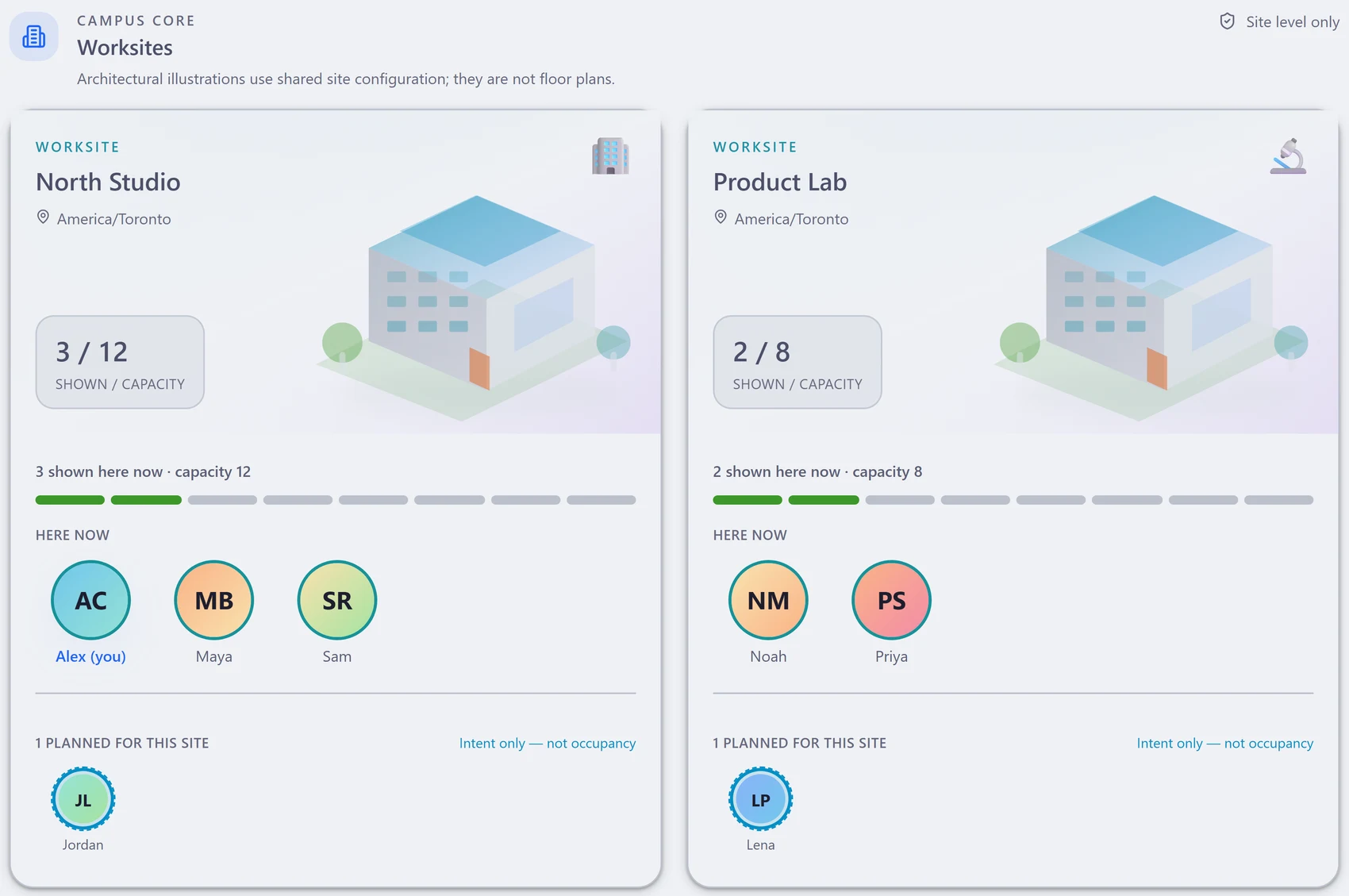
- PeopleFind the teammate.
- WorksitesRead planned presence.
- ContextCoordinate the next step.
When the order is ready but the parts are not
See the shortage behind the build plan.
Review the bill of materials against the planned quantity. See available components, the limiting part and the purchasing work that needs attention.
A specific material gap to discuss with purchasing and production, with the BOM in view.
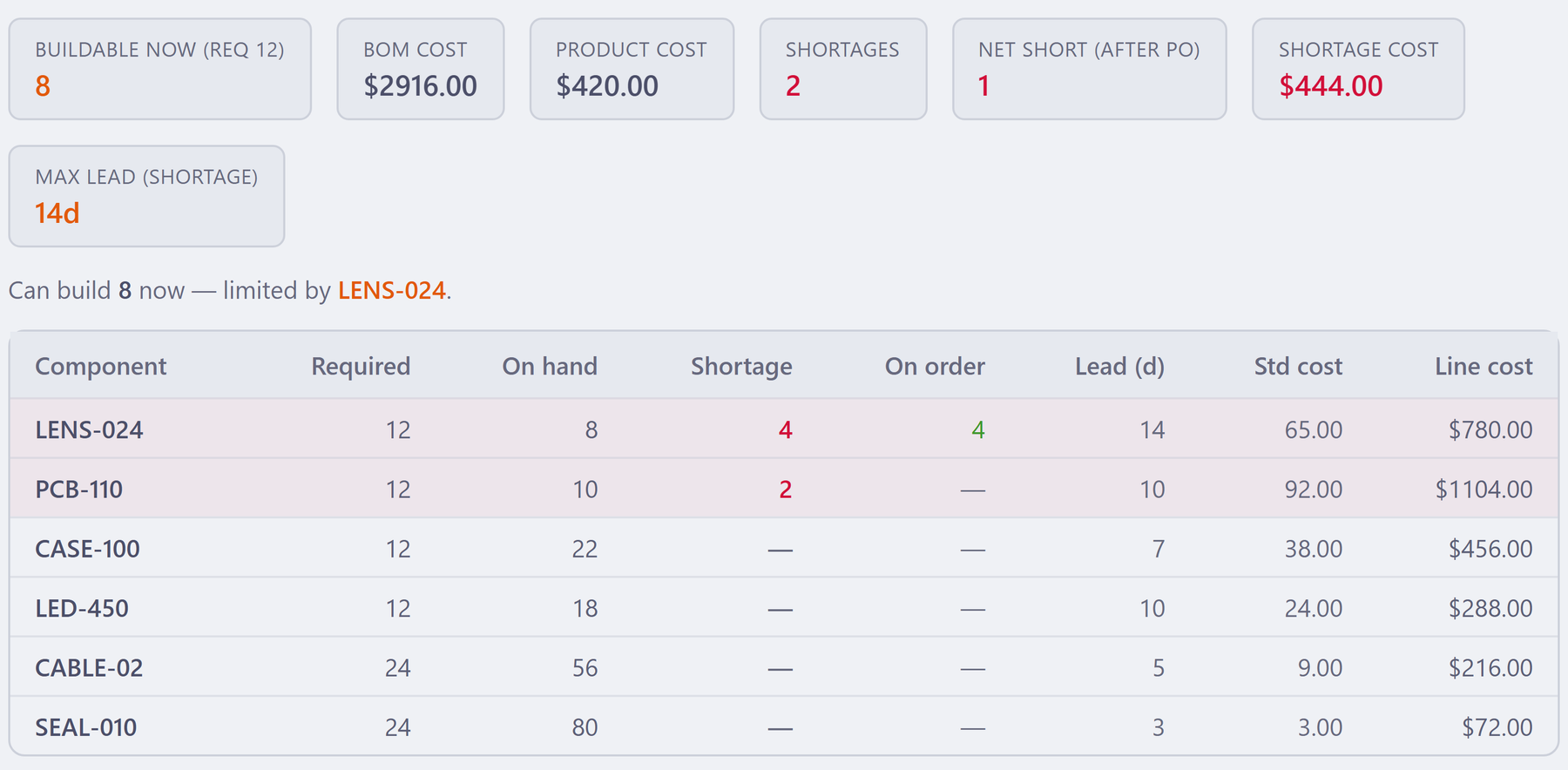
- DemandReview planned quantity.
- AvailabilityFind the limiting part.
- Next actionCoordinate the buying.
When the approved copy is hard to track
The right version. The right review. A clear sign-off.
Keep controlled revisions and internal review steps in one workspace. See the people in the sign-off chain and retain the approved document’s history.
One place to follow a document through review and understand which version the team is using.
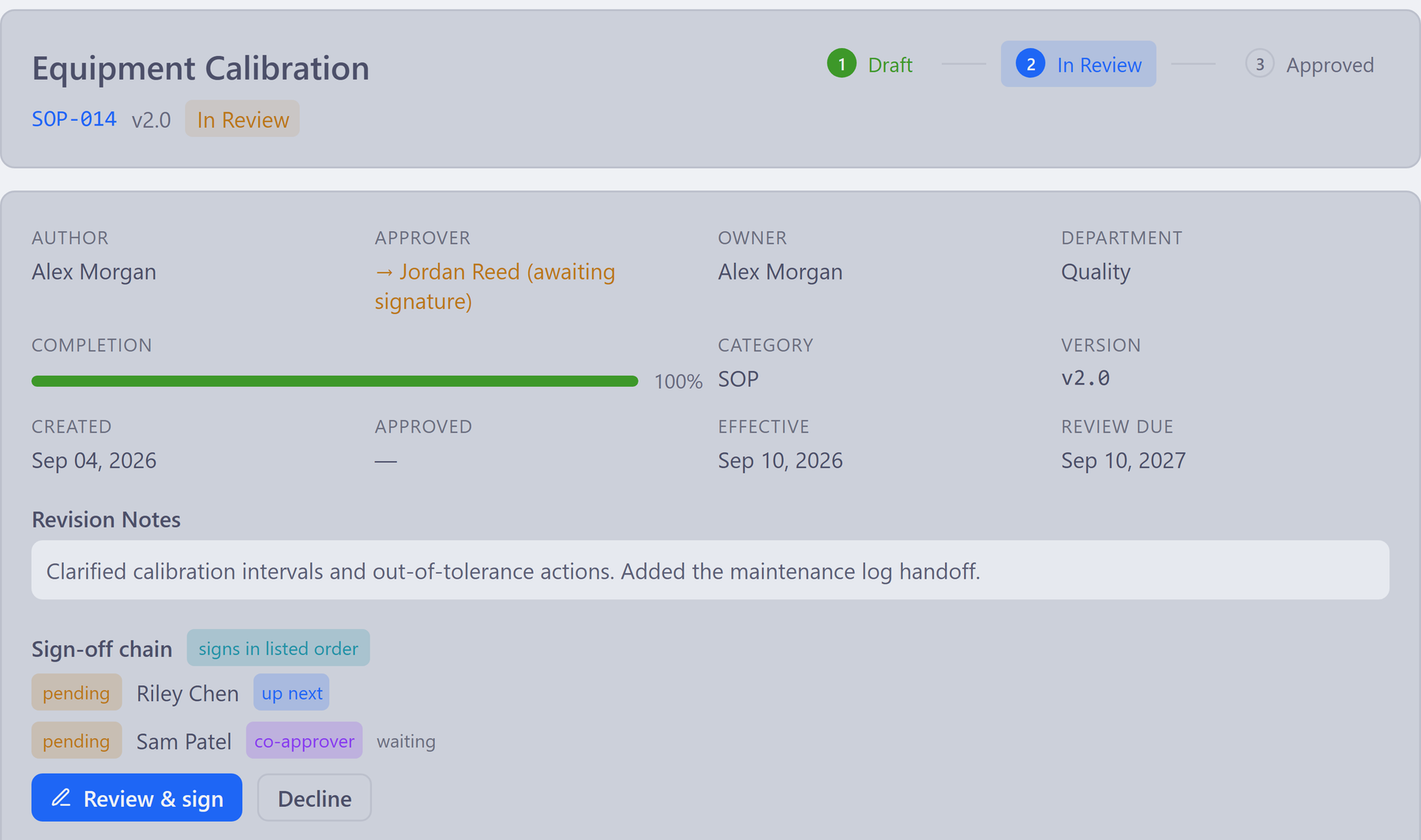
- VersionIdentify the revision.
- ReviewFollow internal sign-offs.
- HistoryKeep the record connected.
Start where the friction is
Choose the work you want to make clearer.
Begin with one team’s daily problem. Keep the supporting quality, people, project and operational work in the same platform as you grow.
Keep corrective action moving.
Track the issue, investigation, action plan and effectiveness review with their supporting records.
Explore Quality →Project managementBring the delivery plan into view.
See owners, dates, dependencies and milestones across the work your team needs to deliver.
Explore Projects →HR & peopleMake everyday people work easier.
Give employees a place for requests and managers a view of leave, onboarding and training.
Explore People →Operations & manufacturingConnect the part to the plan.
Bring suppliers, purchasing, material needs and recorded production history into the same workspace.
Explore Operations →Documents & signaturesKeep revisions and reviews together.
Follow internal review and approval steps. Retain the revision and controlled-copy history.
Explore Documents →Engineering & designKeep evidence close to design work.
Connect requirements, risks and tests so the team can review the records behind a design decision.
Explore Engineering →The value of working together
A quality issue can become a project, a revision and a training action.
Keep those conversations connected. Azora gives each team its own work view while retaining the related records the next person needs.
Follow the quality workflow →Illustrative workflow. Your team links, reviews and progresses the records.
- 01Understand the findingKeep the issue and corrective action in context.
- 02Plan and review the changeGive the task an owner and follow the document revision.
- 03Bring the team up to dateReview related training records and required follow-up.
Take a closer look
A useful overview. Ready to share.
Start with the Azora overview, or choose the solution closest to your team's work.
Business & People3 overviews
Product & Operations2 overviews
Quality & Documents2 overviews
A walkthrough built around your work
Let’s explore what could work for your team.
Choose the workflow that matters to your team. We’ll use a focused 20-minute walkthrough to show the relevant views, records and next actions.