01
Controlled-document register
Use document types and numbering, lifecycle status, effective dates and review dates to find the document the team should be using.
Documents & Signatures
Give document owners and authorized internal reviewers a clear path from the current revision to an approval, with signing evidence alongside the record.
Built for teams coordinating controlled procedures, internal policies and the people who review them.
Interactive sample · internal approvals · fictional records
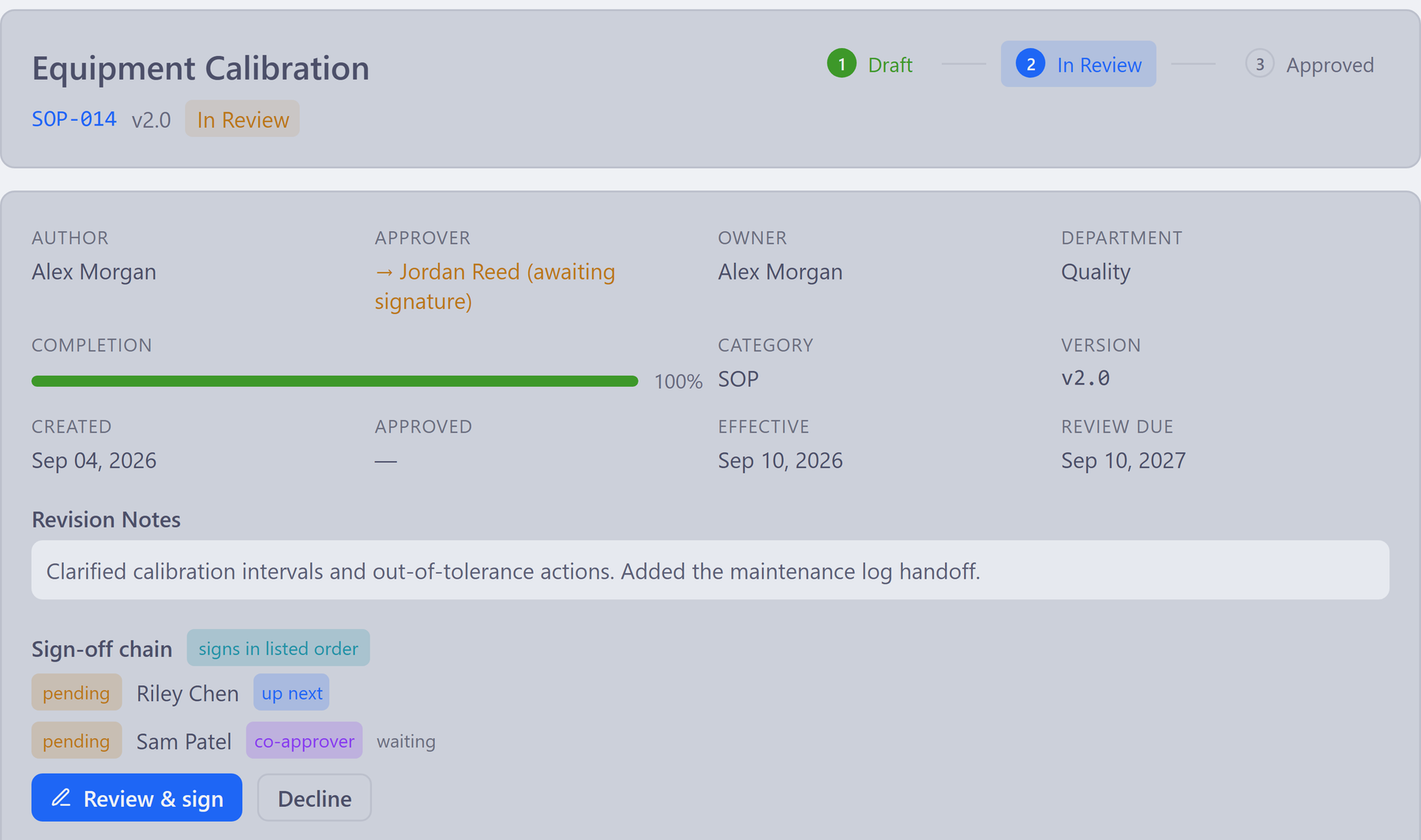
Scroll the interface sideways to inspect the detail.
Identify the document version and its review state.
Follow the ordered reviewers and co-approver in the sign-off chain.
Give authorized internal reviewers a clear next action.
Inside the document workspace
Use the Library for shared knowledge and templates. Use controlled documents when a revision needs an assigned review, approval and retained signing record.
01
Use document types and numbering, lifecycle status, effective dates and review dates to find the document the team should be using.
02
Route documents through assigned reviewers and co-approvers. The Document Control Hub highlights documents waiting for approval and periodic review.
03
Authorized users adopt a signature profile and re-authenticate during supported signing ceremonies. The signing record retains the signer, meaning and time.
04
Review signed-PDF renditions and certificate pages for supported document workflows. Keep the signing evidence associated with the document revision.
05
Track controlled-copy distribution and recall, and manage retention schedules in Records Management. Agree the policy and roles before rollout.
06
Keep working knowledge and reusable templates in the Library. Use controlled documents where formal review is required and wiki pages for everyday knowledge.
Connected workflow
Follow an internal document from preparation to its retained approval record, with each person’s next action in view.
Confirm the document type, numbered record and content the reviewers need to consider.
Work through the assigned review and co-approval steps. The worklist shows which documents are waiting.
Review and re-authenticate for the supported internal signing action. The record retains the signer, meaning and time.
Inspect the signed rendition, certificate and revision history, then check controlled-copy distribution and the next review date.
The approval story shows authorized internal users reviewing and signing a controlled document.
Bring this to your walkthrough
Bring a redacted SOP or internal policy and the roles involved. We can inspect the revision, review route, signing action and retained record your process needs.
Review the current platform offering and talk through your team size, configuration and onboarding needs. View platform pricing.
The review ends. The decision stays.
Explore internal revisions, review feedback and retained approval details with your team.
See it before you talk to sales
Explore an internal approval in the interactive sample, or request a walkthrough of your own document process.