01
For employees
Find personal requests, onboarding tasks and shared employee documents in My HR.
HR & People
Keep requests, onboarding and training follow-up in view for employees, managers and HR.
Built for growing teams bringing new people on board and keeping everyday people work moving.
Interactive sample · no signup · fictional records
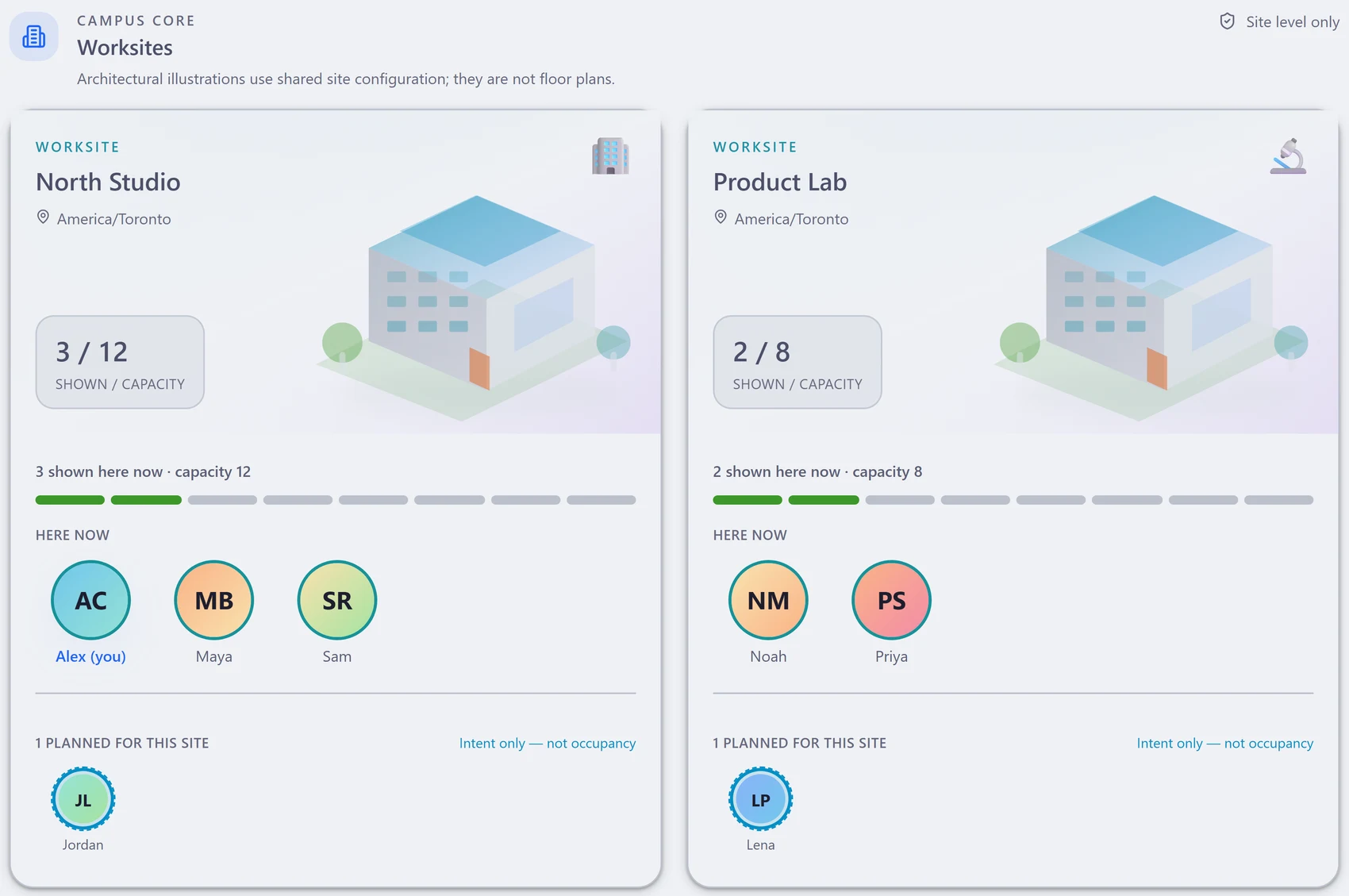
Scroll the interface sideways to inspect the detail.
Find the people reporting onsite work at each location.
Planned presence is shown separately from current shared status.
Use the view to arrange where to work and meet.
For life beyond the office
Leave requests, balances and approved time away in view. A clearer picture for the people reviewing requests and planning together. More peace of mind for you.

Support at every handoff
Bring the employee’s next action, the manager’s decision and HR’s follow-up into a shared process, with access appropriate to each role.
Find personal requests, onboarding tasks and shared employee documents in My HR.
See requests that need a decision and the status of the people work you are responsible for.
Follow incomplete onboarding tasks and required training from the wider workforce view.
One connected onboarding story
Follow the responsibilities, documents and training that help a new person become ready for their role.
Set up the new-hire checklist and the responsibilities and documents the person needs.
At the handoffThe new teammate gets a clear starting point.
Follow assigned onboarding tasks and employee-facing documents in the relevant role views.
At the handoffEveryone can see the next step they own.
Review required-course coverage alongside recorded completions in the training matrix.
At the handoffFollow-up can focus on the person and course involved.
Review onboarding progress and current, expired or missing training records together.
At the handoffThe team gets the information to plan its next step.
My HR brings personal requests, onboarding tasks and shared employee documents together. Administrators use People Operations for the wider workforce.
Manage leave, work-from-home, overtime and profile changes through the relevant request and approval views. See the status and who must act.
Keep new-hire checklists, responsibilities and employee-facing documents close to the person. Follow incomplete tasks instead of chasing separate lists.
Use the required-course matrix to distinguish current, expired and missing completion records. Follow up with the specific people and courses involved.
When workforce presence is enabled, Who’s Where and work plans help coordinate onsite and remote work. Shared status and plans are not attendance or worked hours.
Administrators can explore HR Analytics, including headcount trends and department views, using the employee records they manage.
Bring this to your walkthrough
Share a typical onboarding checklist and the roles involved. We can show the employee, manager and HR views, then discuss your policies and training requirements.
Connected by design
Project, quality, Operations, HR and controlled-document solutions are included in one platform plan. Evaluate the records, roles and handoffs your team needs to bring together.
Follow a request from My HR into the eligible manager’s approval queue.
Use training records and required-course coverage for people-development and quality follow-up.
Use calendars and, where enabled, workforce plans to coordinate availability. Plans and shared status are not attendance or productivity.
A better start together
Explore the sample onboarding story, or request a walkthrough shaped around your team’s everyday people process.
Browse all nine solutions →