01
Tenant-scoped access
Workspace record access is scoped to the authorized tenant. Review the access controls for the records and roles relevant to your deployment.
Multi-tenant Architecture
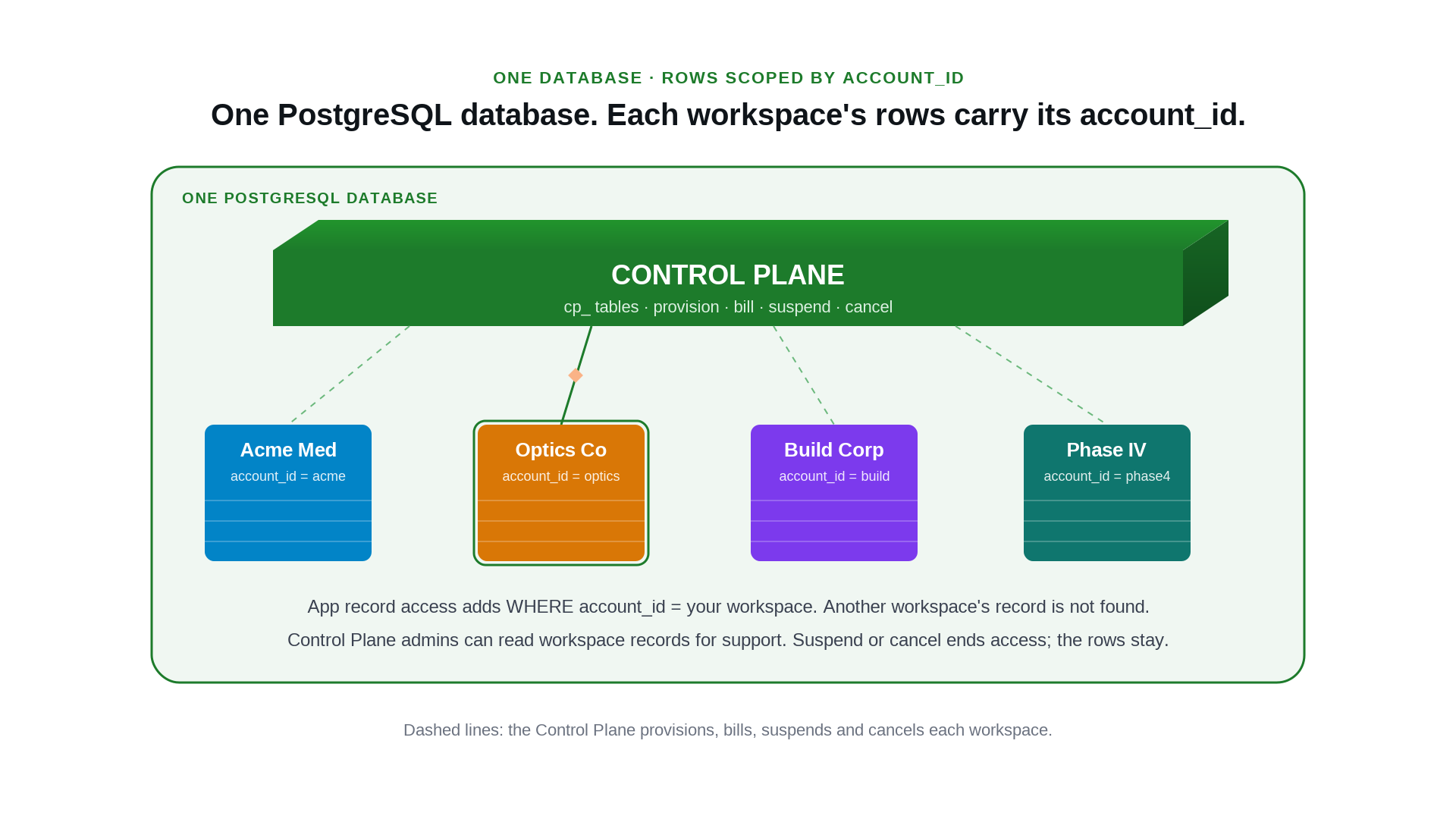
One database, with each workspace's rows marked by its account_id. Azora's Control Plane provisions, bills and suspends workspaces, and its admins can read workspace records for support. Cancellation ends access; deleting the data is a separate, reviewed step.
Read-only demo · no signup · realistic seeded records
How it works
Azora is one application on one PostgreSQL database. Customer-data tables carry an account_id column. The app's record routes filter reads to the signed-in workspace and refuse to change another workspace's rows; other routes carry their own account_id checks. Azora staff use the Control Plane to provision, bill, suspend and cancel workspaces.
01
Workspace record access is scoped to the authorized tenant. Review the access controls for the records and roles relevant to your deployment.
02
Azora's vendor-only admin area, in the same database. It provisions, bills, suspends and cancels workspaces. Its admins can read workspace records for support.
03
Cancelling marks the account cancelled and suspends its users. The data stays; nothing is purged automatically.
04
Roles and permissions are set within each workspace. Control Plane access is a separate admin flag for Azora staff only.
05
Changes to workspace records are logged with who made them and the workspace. Control Plane actions go to a separate log.
06
Run the same code on your own infrastructure, with the control plane optional. Deployment, updates and data access are defined in a separate services agreement.
Connected workflow
Azora brings project work, quality, people, suppliers, units and documents into one platform. Review the records and relationships your process needs.
Workspace record access is scoped to the authorized tenant. Review the access controls for the records and roles relevant to your deployment.
Azora's vendor-only admin area, in the same database. It provisions, bills, suspends and cancels workspaces. Its admins can read workspace records for support.
Cancelling marks the account cancelled and suspends its users. The data stays; nothing is purged automatically.
Roles and permissions are set within each workspace. Control Plane access is a separate admin flag for Azora staff only.
“Before we built Azora's multi-tenant model, we evaluated three SaaS QMS vendors for our own use. Two said 'tenant-isolated' but couldn't show us the schema. That's why we ended up writing our own — and why Azora opens the column to anyone who asks.”
Review the current platform offering and talk through your team size, configuration and onboarding needs. View platform pricing.
See it before you talk to sales
Open the technical brief for the schema, the helpers, the audit-log structure, and the May 2026 internal security review findings. Then email us with whatever's missing.