01
Rich triggers
Field changes (status, priority, assignee, project). Time-based (overdue by N days). Aggregate (sprint with > 80% blocked).
Automation Engine
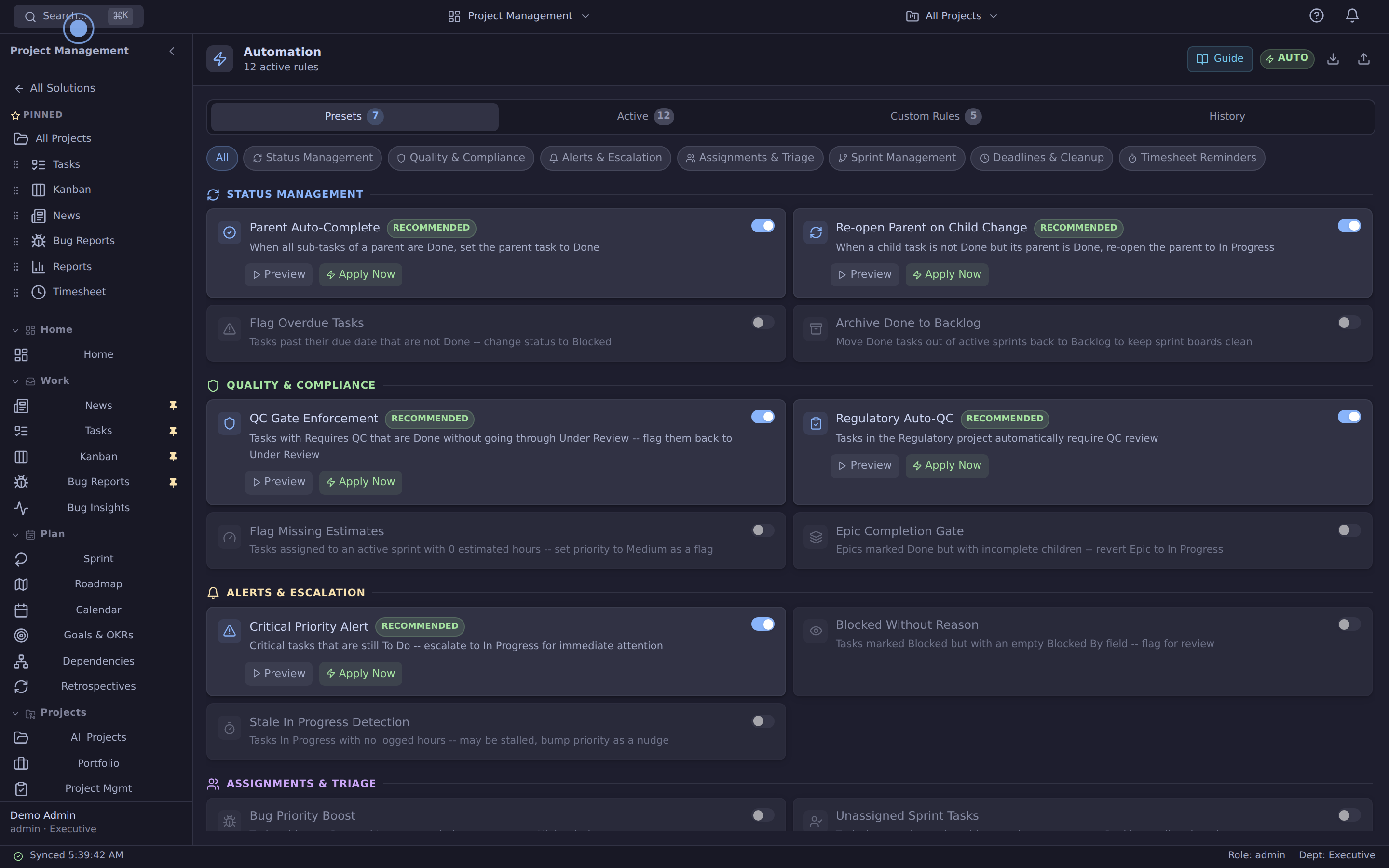
Rules check trigger → optional condition → action against your tasks — preview exactly what would change, then apply in one click. A server worker re-evaluates matches every 5 minutes (unattended writes stay dry-run until qualification). Built into the database, not bolted on.
Read-only demo · no signup · realistic seeded records
How it works
A cron worker on the same VPS as your app runs every 5 minutes. It scans your active rules, evaluates each rule's trigger and optional condition against the current task table, and reports the planned matches — actions are applied from the panel's one-click Apply, and unattended worker writes stay dry-run until qualification. No webhook duct tape. No 30-second polling. No third-party service hosting your automation logic.
01
Field changes (status, priority, assignee, project). Time-based (overdue by N days). Aggregate (sprint with > 80% blocked).
02
Optional secondary check after trigger fires. AND-combined with trigger for precise targeting.
03
update_status, update_priority, reassign and add_label — each applied from the panel, one task update per match. Notify and webhook rules can be authored but only the scheduled worker would run them, and it applies nothing.
04
Engine never auto-Done's a task with requires_qc=true unless it's already Under Review. Same rule the UI enforces.
05
Rules are scoped to tenant. Engine groups by account_id and processes each tenant's tasks separately.
06
The scheduled worker always dry-runs today — live unattended writes are deliberately blocked until qualification; you apply from the preview. 100-action cap so a misconfigured rule can't empty your table.
Connected workflow
Azora brings project work, quality, people, suppliers, units and documents into one platform. Review the records and relationships your process needs.
Field changes (status, priority, assignee, project). Time-based (overdue by N days). Aggregate (sprint with > 80% blocked).
Optional secondary check after trigger fires. AND-combined with trigger for precise targeting.
update_status, update_priority, reassign and add_label — each applied from the panel, one task update per match. Notify and webhook rules can be authored but only the scheduled worker would run them, and it applies nothing.
Engine never auto-Done's a task with requires_qc=true unless it's already Under Review. Same rule the UI enforces.
“We had Zapier zaps falling over silently for months. Now our automation runs on the same DB as our work — I preview exactly what a rule will touch before applying it, and I can see why in the logs when nothing matched.”
Review the current platform offering and talk through your team size, configuration and onboarding needs. View platform pricing.
See it before you talk to sales
The demo tenant includes sample rules and a dry-run dashboard so you can see triggers fire without writing data.